Turning patches into a product.
Transforming fragmented country-specific invoicing experiences into a more cohesive product built to scale across Latin America.
Overview
From scattered solutions to a shared product experience.
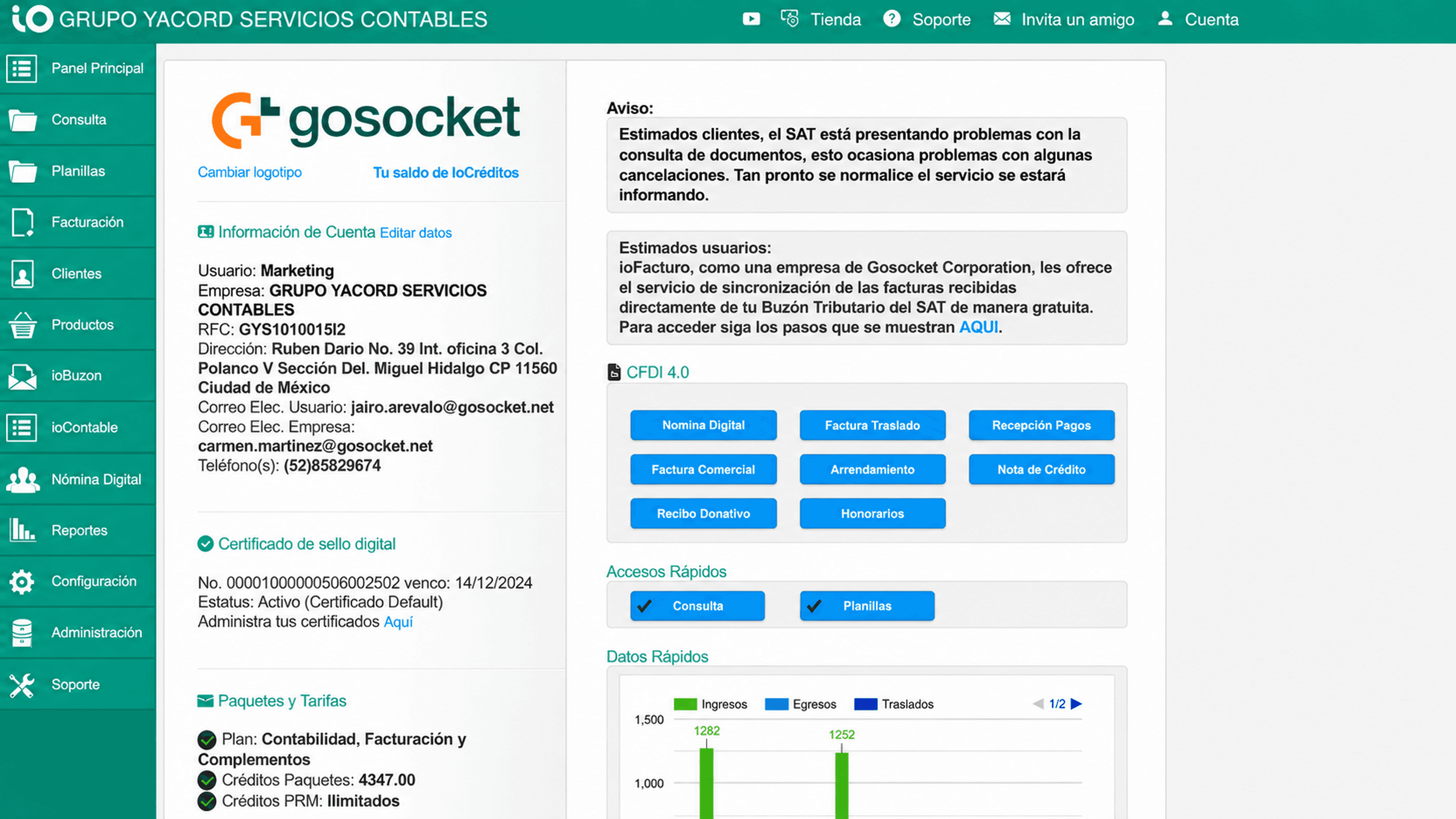
When I joined GoSocket, electronic invoicing already existed across several Latin American markets but not as a unified product.
The experience was distributed across country-specific widgets embedded within a larger portal. As the business evolved, new functionality had often been added to existing solutions independently, creating differences in structure, navigation, and interface patterns.
At the same time, the company was moving toward a new technical architecture based on microservices. This created an opportunity to rethink the invoicing experience and build a product with a clearer structure, shared design foundations, and the flexibility to support different market requirements.
The starting point
A product built in pieces.
Electronic invoicing functionality already existed, but it lived as separate country-specific experiences within a larger portal.
Depending on the selected country, users could encounter different interfaces and patterns. Functionality had evolved over time through individual additions and market-specific solutions rather than through a shared product structure.
The challenge was not simply to redesign a set of screens. It was to understand what already existed, identify what should remain, and create a more cohesive foundation for the product moving forward.
The goal was not to make every market identical, but to create a shared foundation while preserving the flexibility required by different business and regulatory contexts.
The opportunity
More than a redesign.
The new invoicing product was being shaped while the broader platform was also evolving. Three areas were changing at the same time.
From fragmented functionality to a more cohesive product
Existing features and country-specific solutions needed to be evaluated, reorganized, and brought into a clearer product structure.
From the existing platform toward a microservices architecture
The technical architecture was led by the Engineering and Technology teams, while the product experience evolved alongside that transformation.
From individual interfaces to a shared design foundation
There was no established design system supporting the new product, so I needed to create a foundation that could grow with it.
My role was not to define the technical architecture, but to own the product experience and work alongside the teams shaping the product and its implementation.
My role
Owning the product experience from an early stage.
I joined the team as the Product Designer when the direction for the new invoicing product was still taking shape. Product and Technology had a general vision, but the experience itself had not yet been fully defined.
I was responsible for shaping the product experience, from understanding the existing business and functionality to defining the information architecture, designing key workflows and interfaces, and building the initial design system.
- Information architecture
- Product experience
- UX and interaction design
- UI design
- Design direction
- Design system foundations
- Reusable components and patterns
- Product requirements
- Business priorities
- Country-specific requirements
- Regulatory constraints
- Technical feasibility
- Implementation with Engineering
Understanding the problem
Before redesigning anything, I had to understand the business.
Electronic invoicing was a new domain for me, and the existing product had already accumulated years of functionality, business rules, and country-specific requirements.
Before proposing a new structure, I needed to understand how the existing solutions worked, what functionality they supported, and which requirements were essential to the new product.
Documentation
Reviewing existing product and business documentation
Existing product
Exploring the widgets, functionality, and workflows already in use
Product conversations
Working with the Product Owner to understand requirements, priorities, and existing functionality
Customer conversations
Speaking with customers to better understand how the product was being used
Market research
Reviewing competitors and product patterns to identify opportunities for a clearer experience
Together, these inputs helped me build a clearer picture of the domain and provided the foundation for a new information architecture.
Information architecture
Turning existing functionality into a product structure.
The existing solutions contained functionality that had been added over time across different country-specific experiences. My first challenge was to map what already existed and determine how those capabilities should live within the new product.
I created an initial information architecture that brought together the functionality from the existing solutions. I then worked with the Product Owner to evaluate what should remain, how features should be grouped, and whether they still made sense within the new experience.
Competitive research and emerging product patterns also informed decisions around navigation, hierarchy, and ways to make the product easier to understand.
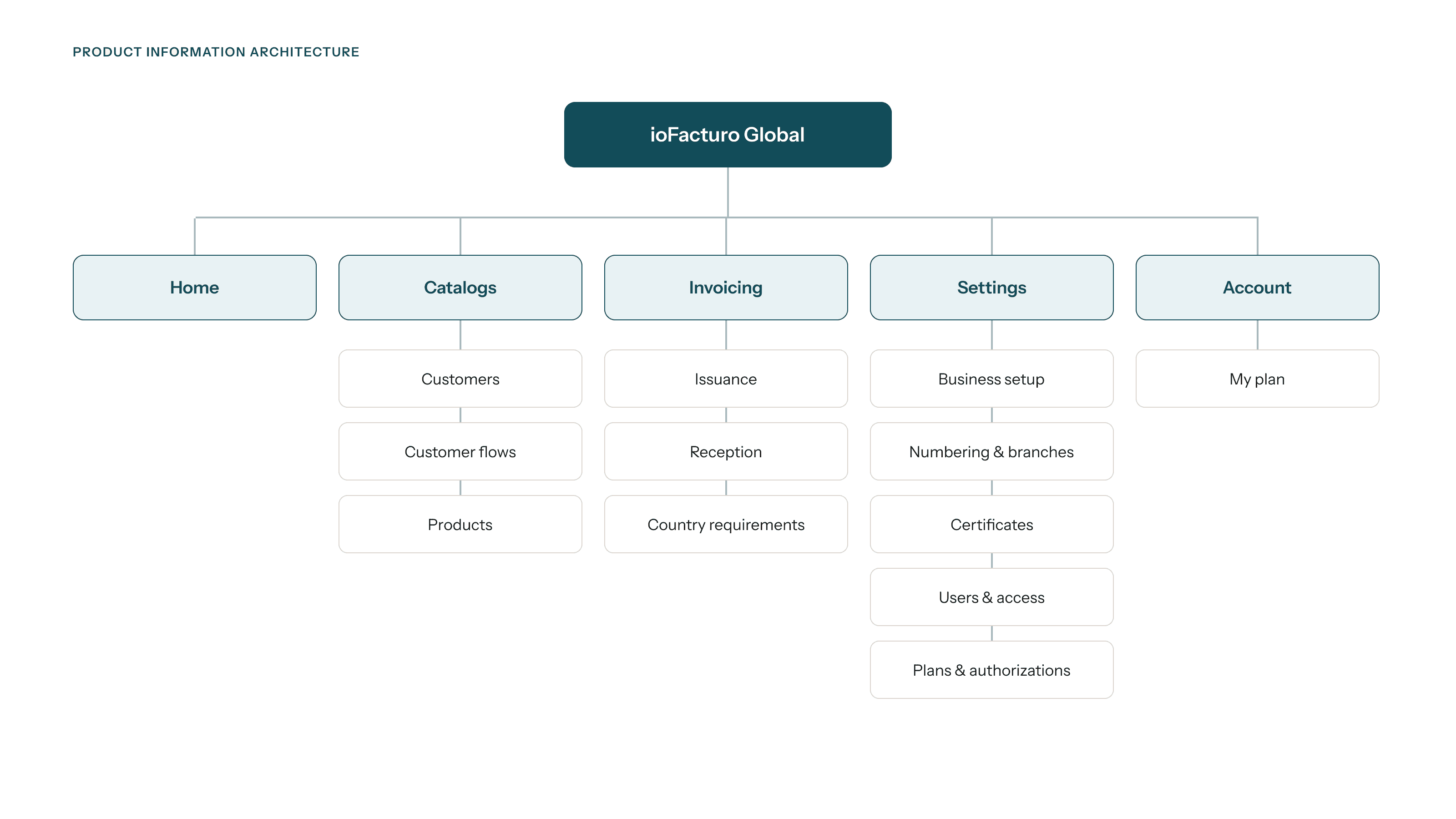
Mapping existing functionality and reorganizing it into a clearer product structure.
The goal wasn't to preserve every existing feature exactly as it was. It was to determine what still belonged in the product and how it could work as part of a more coherent system.
Scaling across markets
Shared foundations, local flexibility.
The product was designed to support multiple Latin American markets, but expansion did not mean creating an identical experience for every country.
Shared workflows and patterns could be standardized, while country-specific requirements still needed flexibility.
The challenge was to identify what should remain consistent across the product and where the experience needed to adapt.
Consistency and flexibility were designed together rather than treated as opposite goals.
Designing the experience
Turning complexity into structure.
Three areas best represent how I approached the product experience: simplifying complex tax documents, creating a clearer structure for customers and products, and designing a product overview that helped users understand what was happening across the platform.
Not all complexity belongs in the interface.
Creating tax documents was one of the most complex areas of the product.
The interface needed to support extensive regulatory requirements and business rules, but presenting every possible field to the user would result in an overwhelming and difficult-to-use form.
The challenge was to determine what information users truly needed to provide, and what complexity the system could handle in the background.
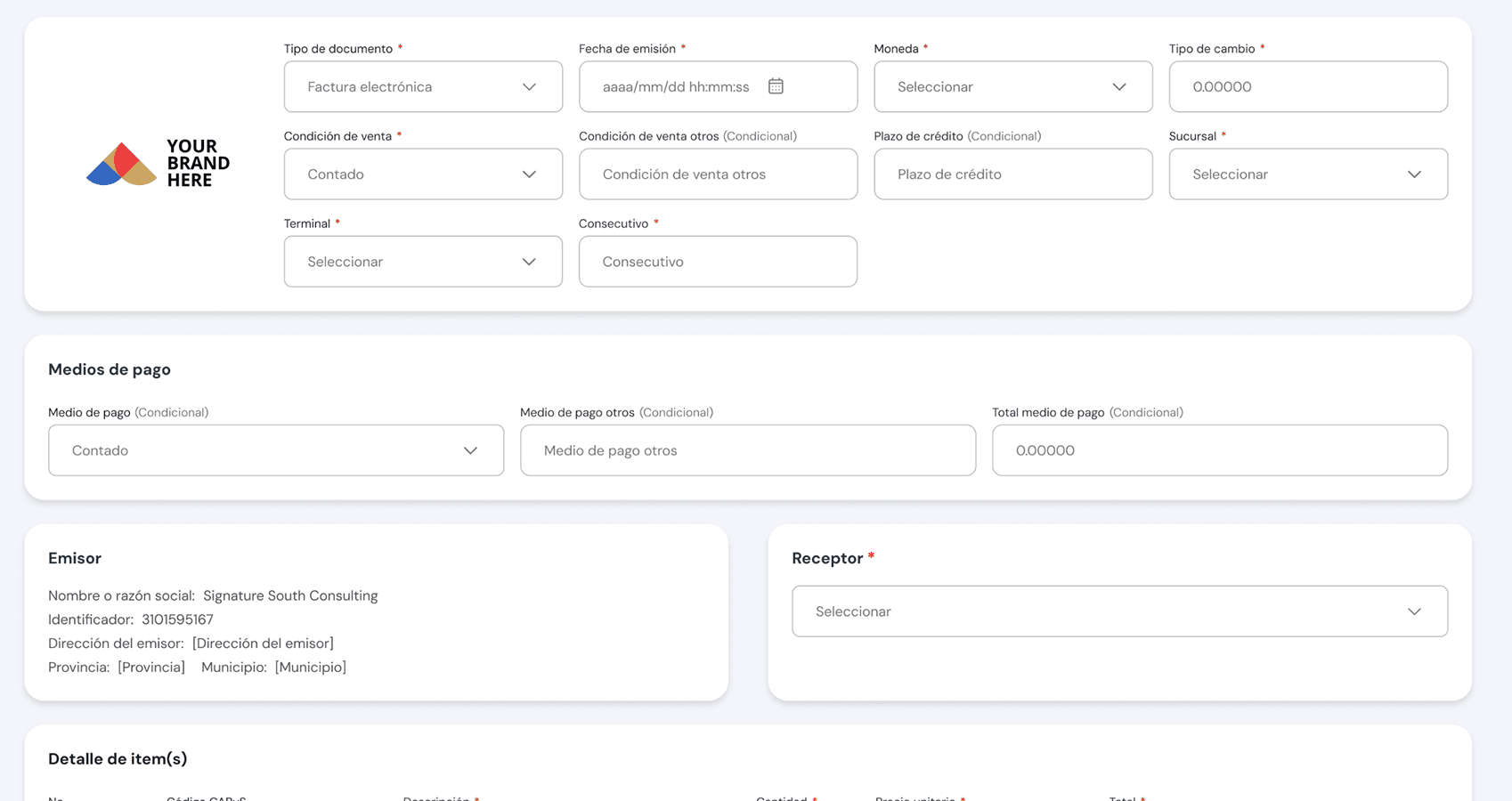
Asking for only what the user needs to provide.
I reviewed the available business rules and worked to distinguish between information that needed to come directly from the user and data that could be retrieved or completed by the system.
When information could be obtained from another source and used to generate the required XML, I explored ways to avoid asking users to enter it again.
The goal was not to remove necessary complexity, but to prevent users from having to manage complexity the system could handle for them.
Only information the user needs to provide.
Information retrieved or completed automatically.
Translating business rules into interface behavior.
Many requirements were documented as business rules, including conditions that determined when certain fields were required, optional, visible, or hidden.
While those rules existed in spreadsheets, I needed to translate them into visual behavior that was easier to understand and implement.
Display the field and mark it as required.
Display the field without requiring it.
Remove the field when it does not apply.
Turning written business rules into visible interaction logic.
Creating consistency across different document types.
Different tax documents required different information, but I looked for opportunities to maintain a familiar structure wherever possible.
Consistent layouts, labeling, field patterns, and interaction behavior helped reduce unnecessary variation while still allowing the experience to support document-specific requirements.
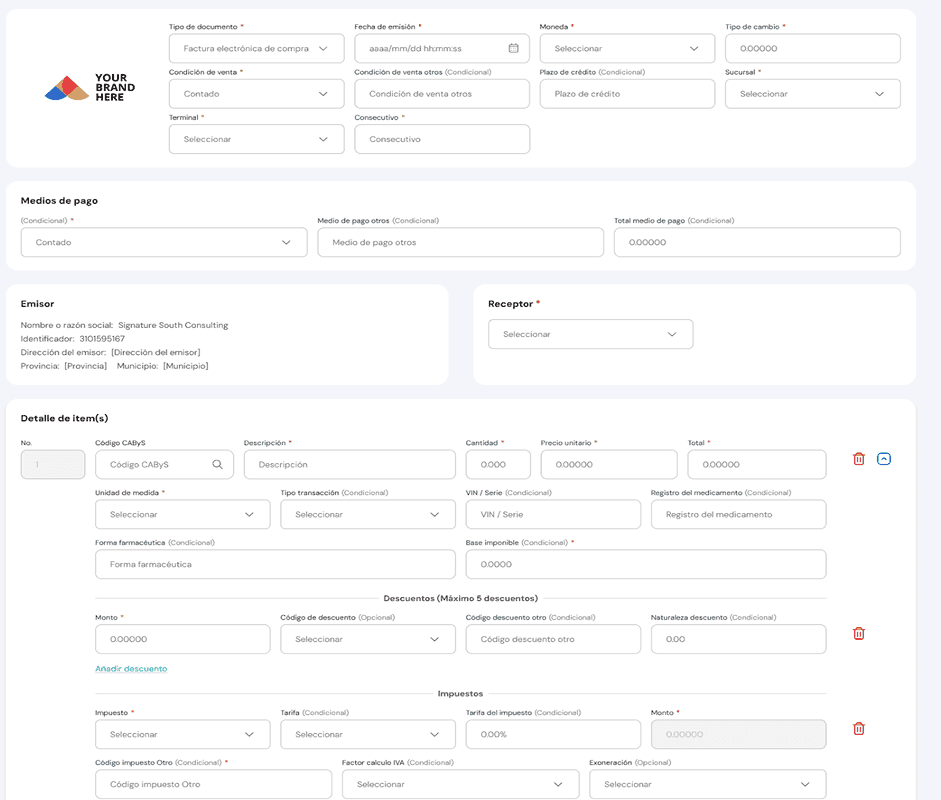
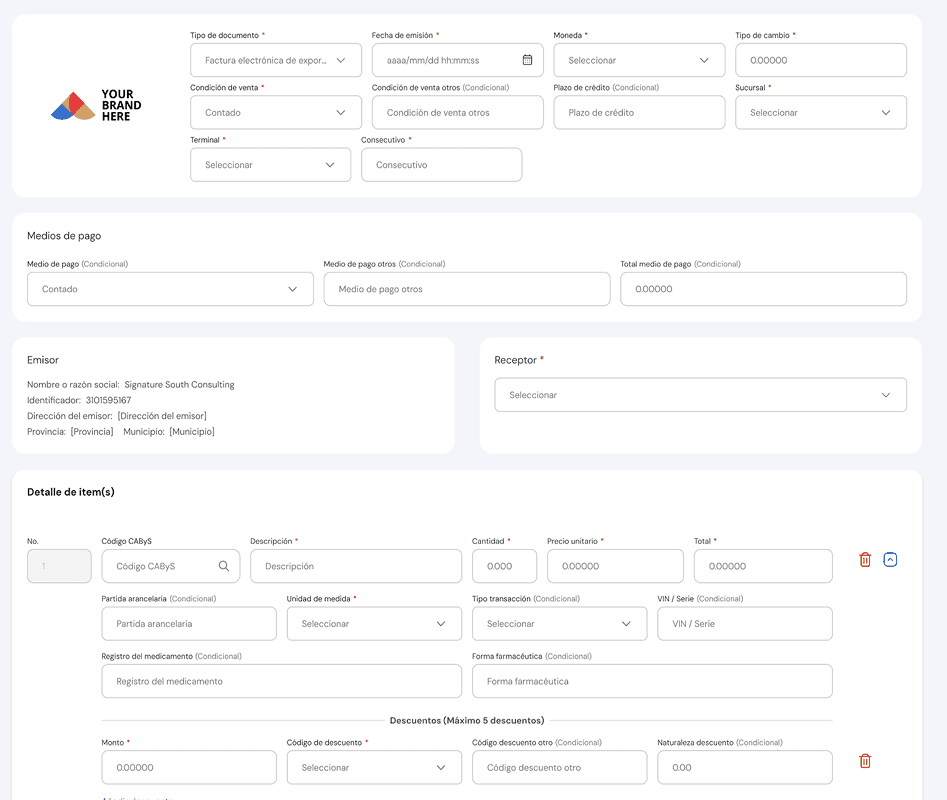
The challenge was not to make every document identical. It was to create a familiar experience while supporting the differences that actually mattered.
Giving scattered information a clear home.
Customers and products were important parts of the invoicing workflow, but the existing functionality was dispersed rather than organized as dedicated product areas.
As part of the new structure, I designed dedicated catalog experiences that made it easier to view, manage, and add records.
Reusing structure instead of redesigning the same problem twice.
Customer and product catalogs contained different information, but shared interaction needs. I used reusable patterns for tables, hierarchy, and actions while adapting each catalog to its content.
I also considered which information users needed to see first and how to make the primary action clearly stand out from the surrounding content.
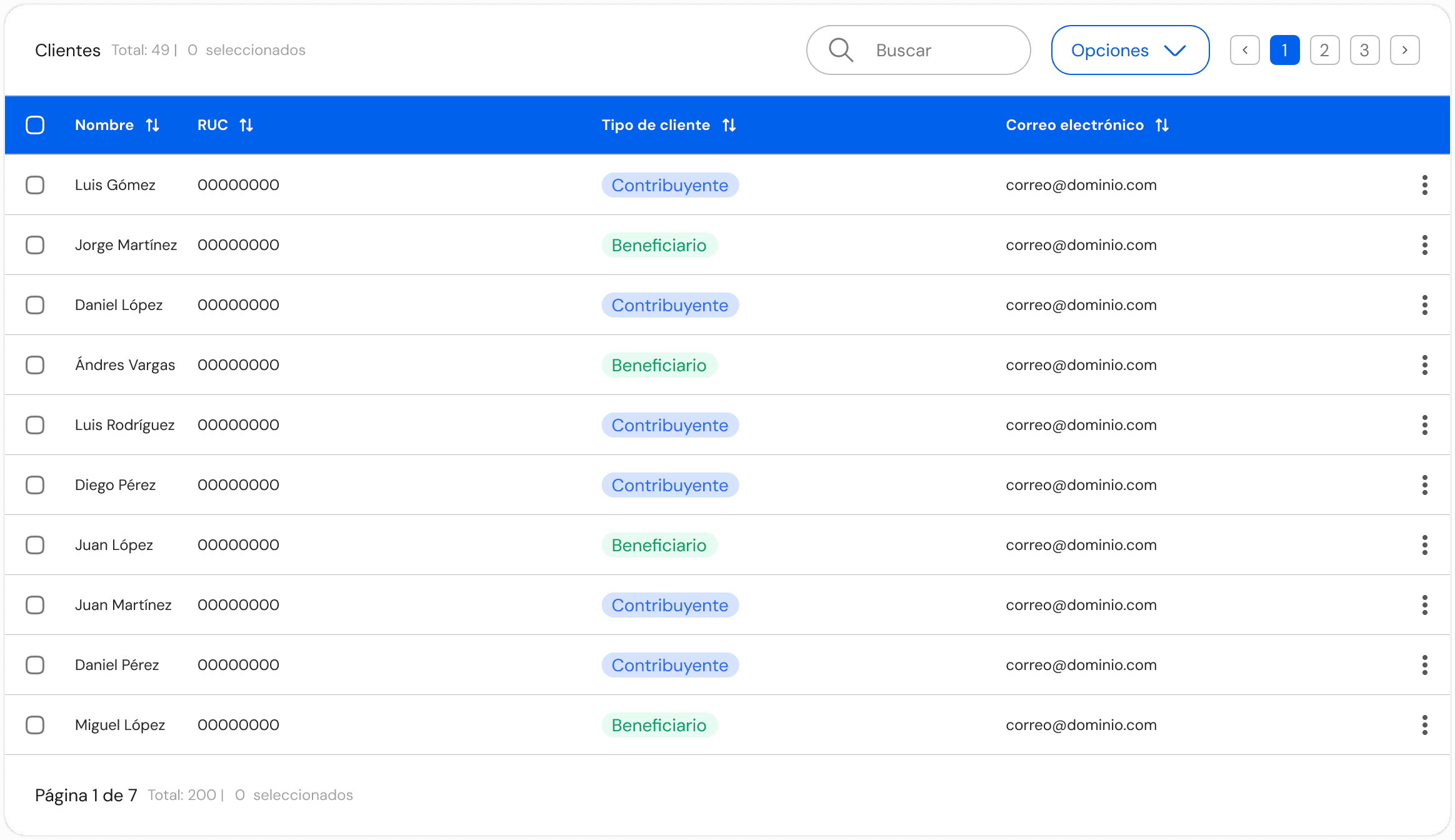
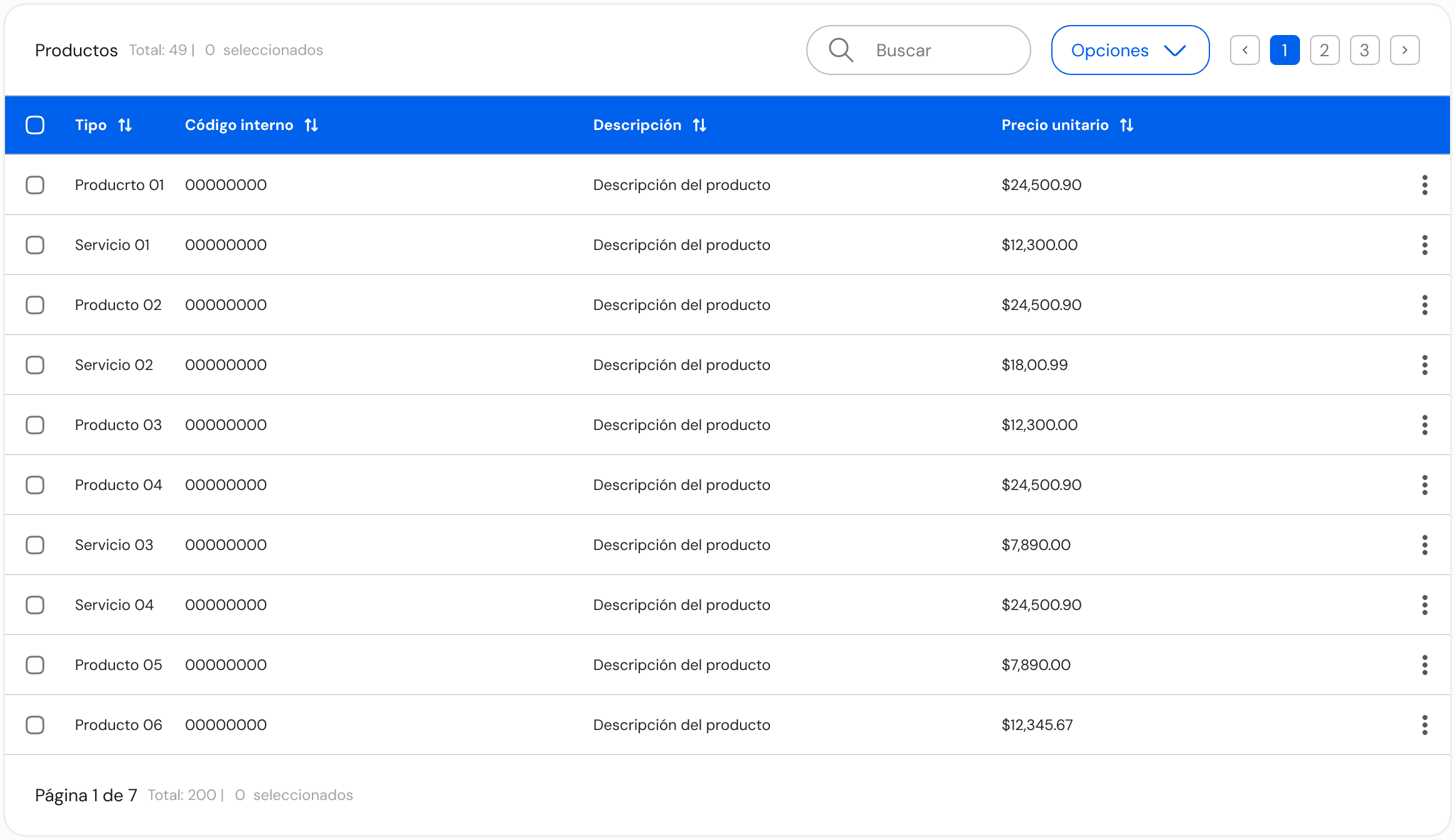
Similar needs were supported through shared patterns, creating a more consistent experience and reducing unnecessary variation.
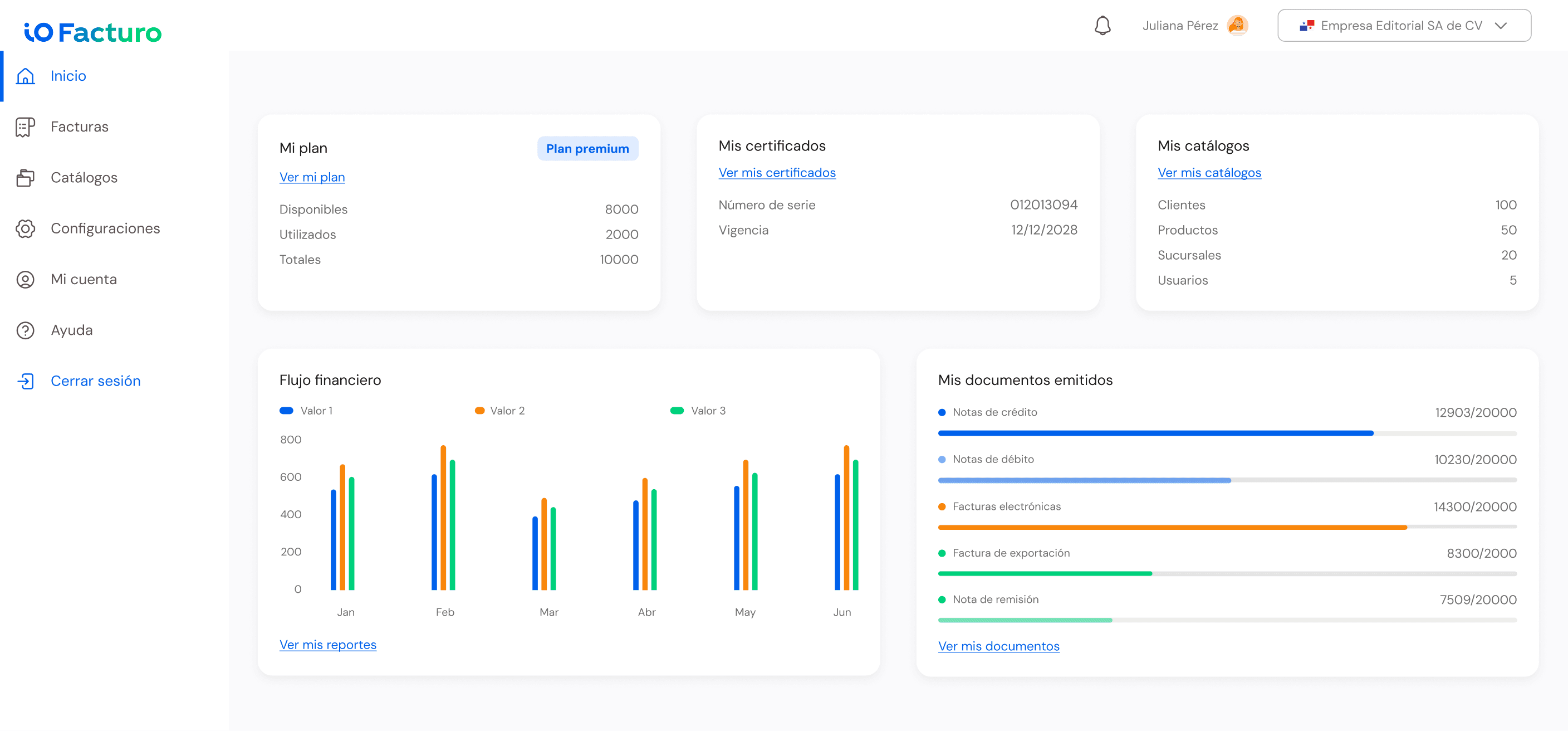
Giving users the bigger picture.
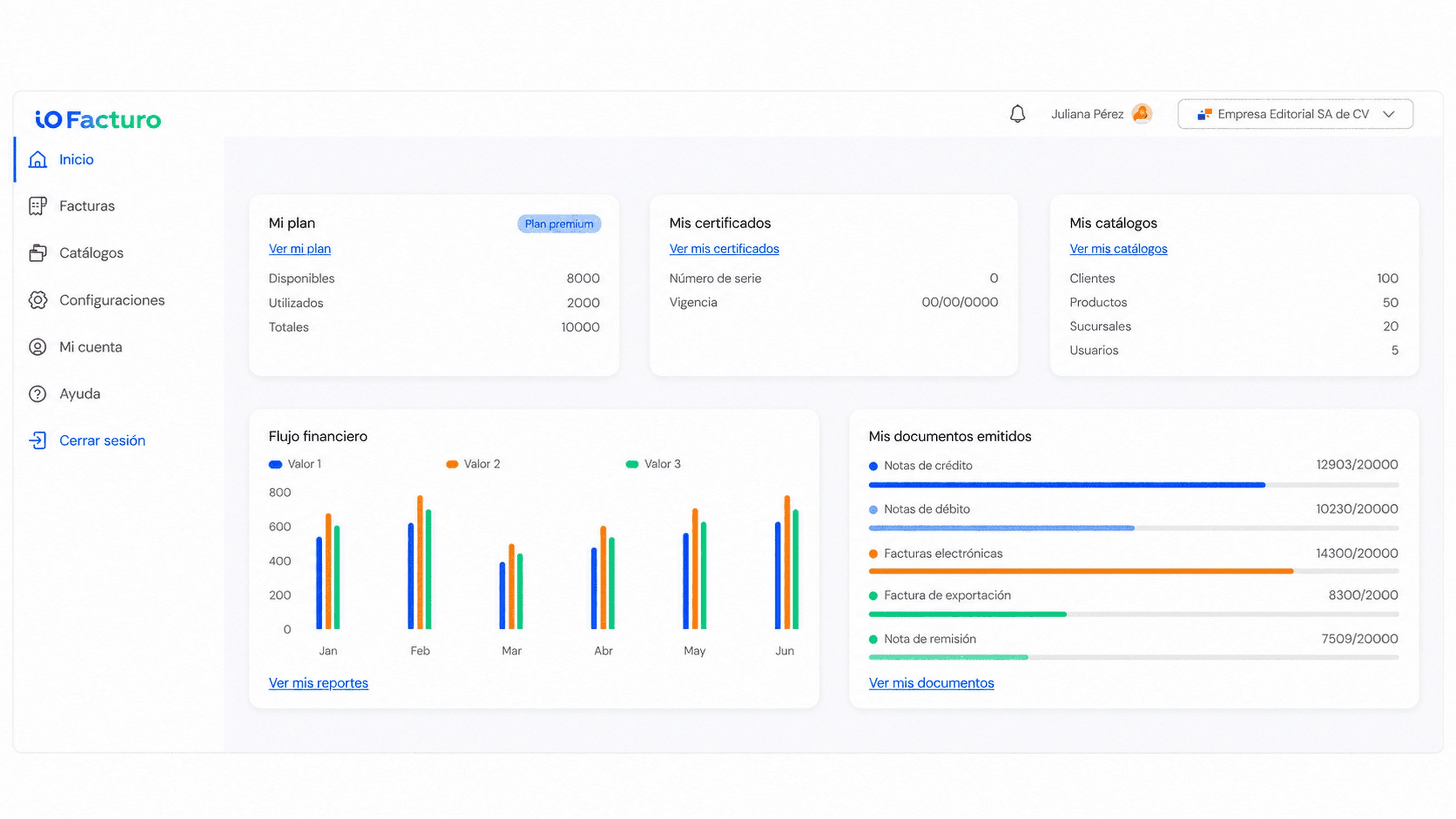
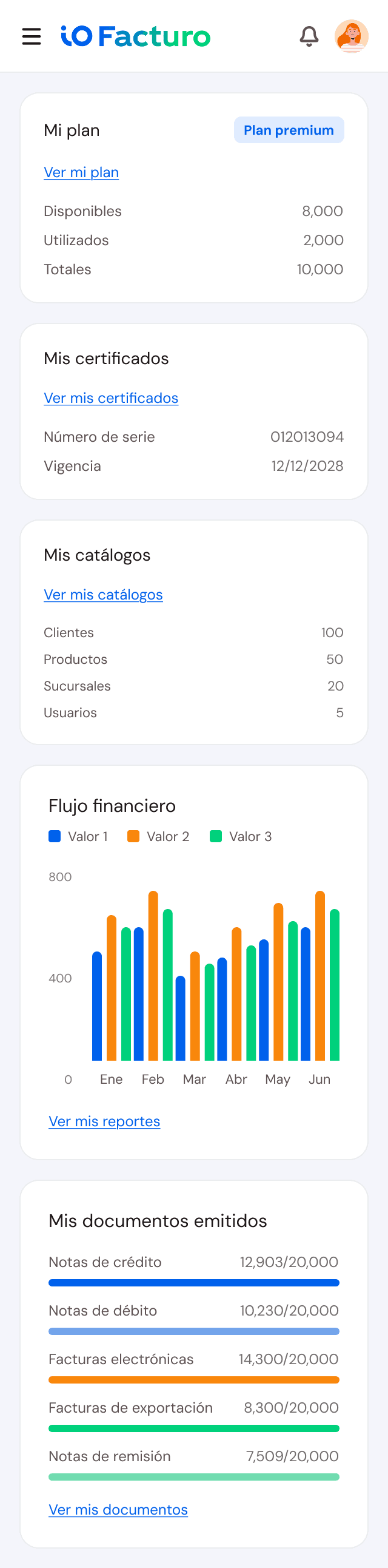
As more functionality came together in ioFacturo, users needed a way to quickly understand what was happening across their account.
The dashboard was designed as a high-level overview of key product information while also providing direct paths into specific areas of the platform.
The dashboard included
- Plan usage
- Key figures for the current plan.
- Certificates
- Certificate status and expiration information.
- Catalogs
- Access to customers, products, branches, and users.
- Financial activity
- A view of activity over time.
- Issued documents
- Document counts and status at a glance.
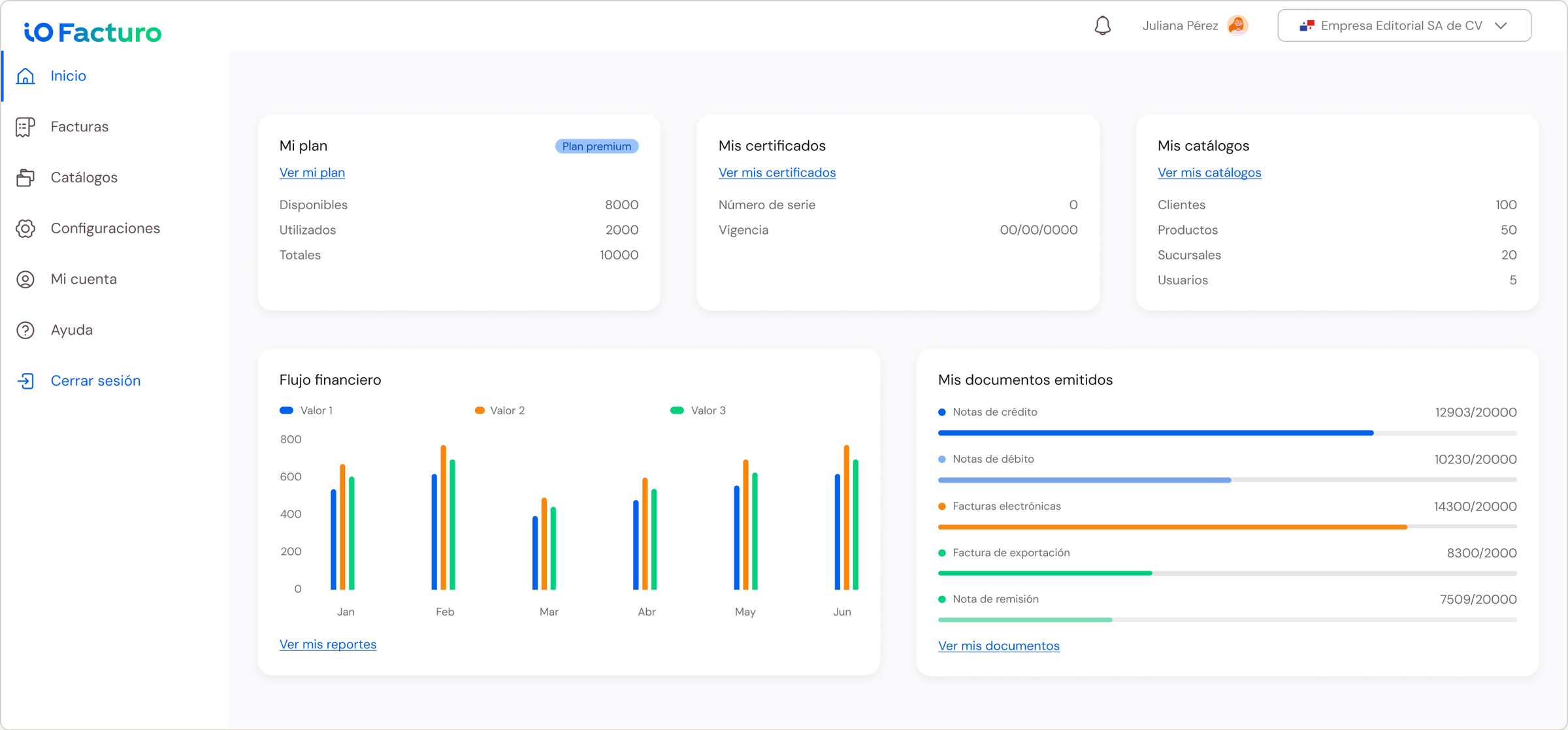
- Account overview
Key information from across the product.
- Document visibility
A quick view of important tax documents and their status.
- Direct paths
Cards and entry points that take users to specific modules.
Decisions about what to surface were informed by user research, competitive analysis, business needs, and ongoing discussions with the Product Owner.
The goal was not to show everything the product could do, but to prioritize the information and actions that were most useful as an entry point.
Design system
Turning consistency into a product capability.
To support expansion across markets, I led the creation of a modular design system that aligned visual language, interaction patterns, and reusable components. It gave teams a shared foundation while allowing country-specific requirements to be incorporated without rebuilding the experience.
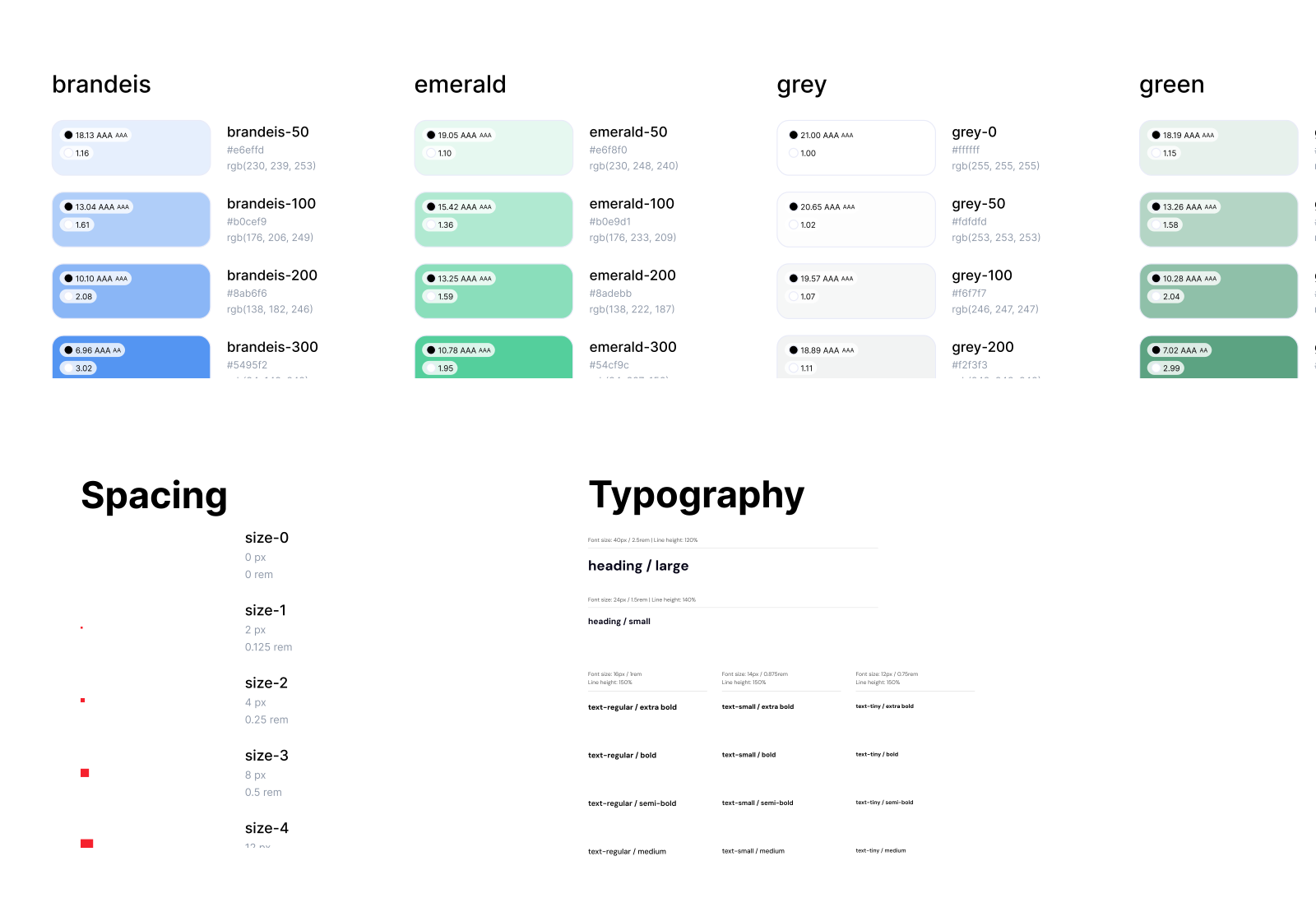
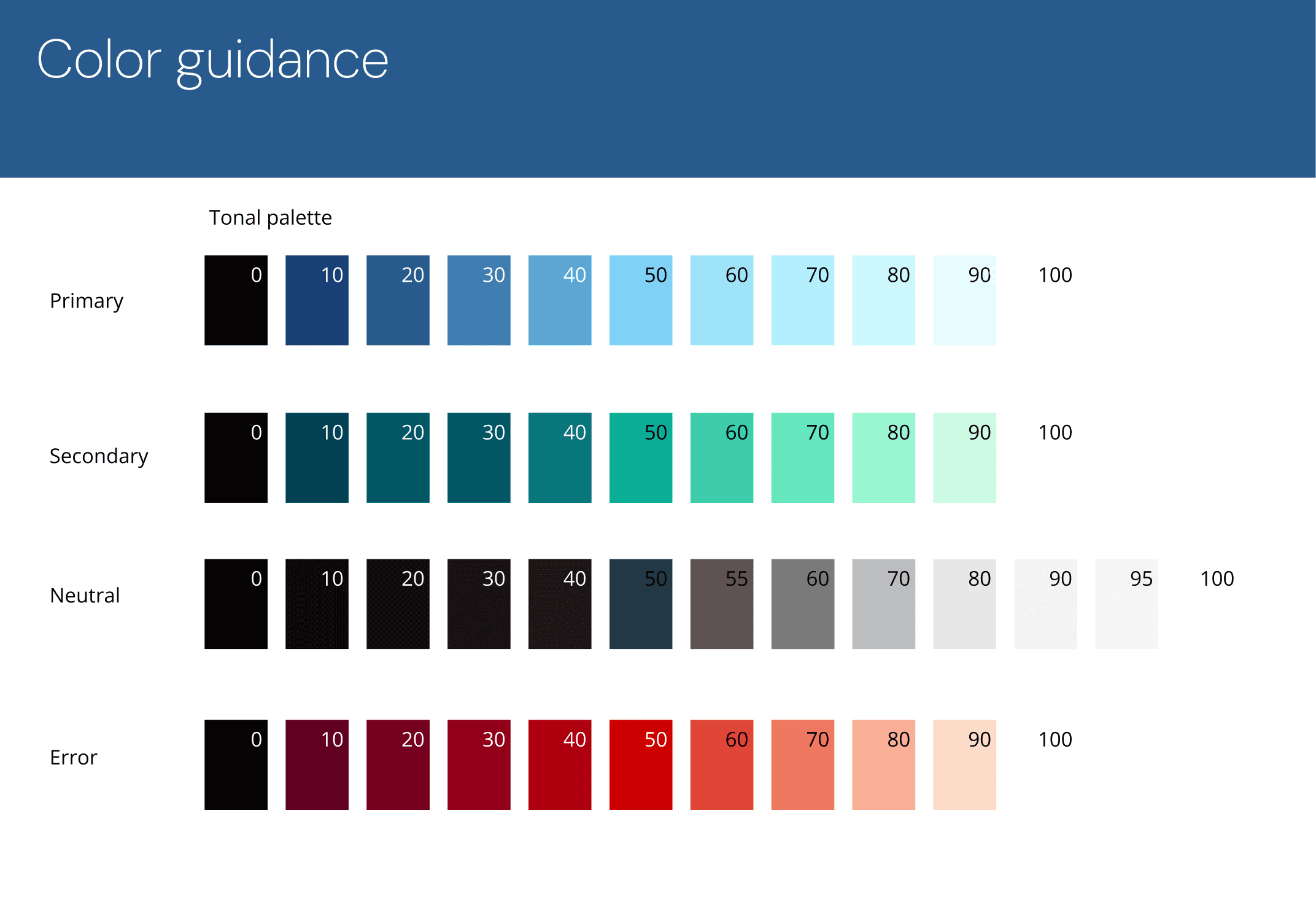
From brand colors to a product color system.
I started with the primary and secondary colors defined by Marketing and expanded them into scales for product interfaces. I also introduced neutral and semantic colors for text, error, success, and warning states, creating a palette that could support more than the original brand applications.
Creating a hierarchy for product interfaces.
The typeface had already been selected as part of the brand. I translated it into a consistent hierarchy for headings, titles, body text, and supporting content, helping establish clearer structure across product screens and flows.
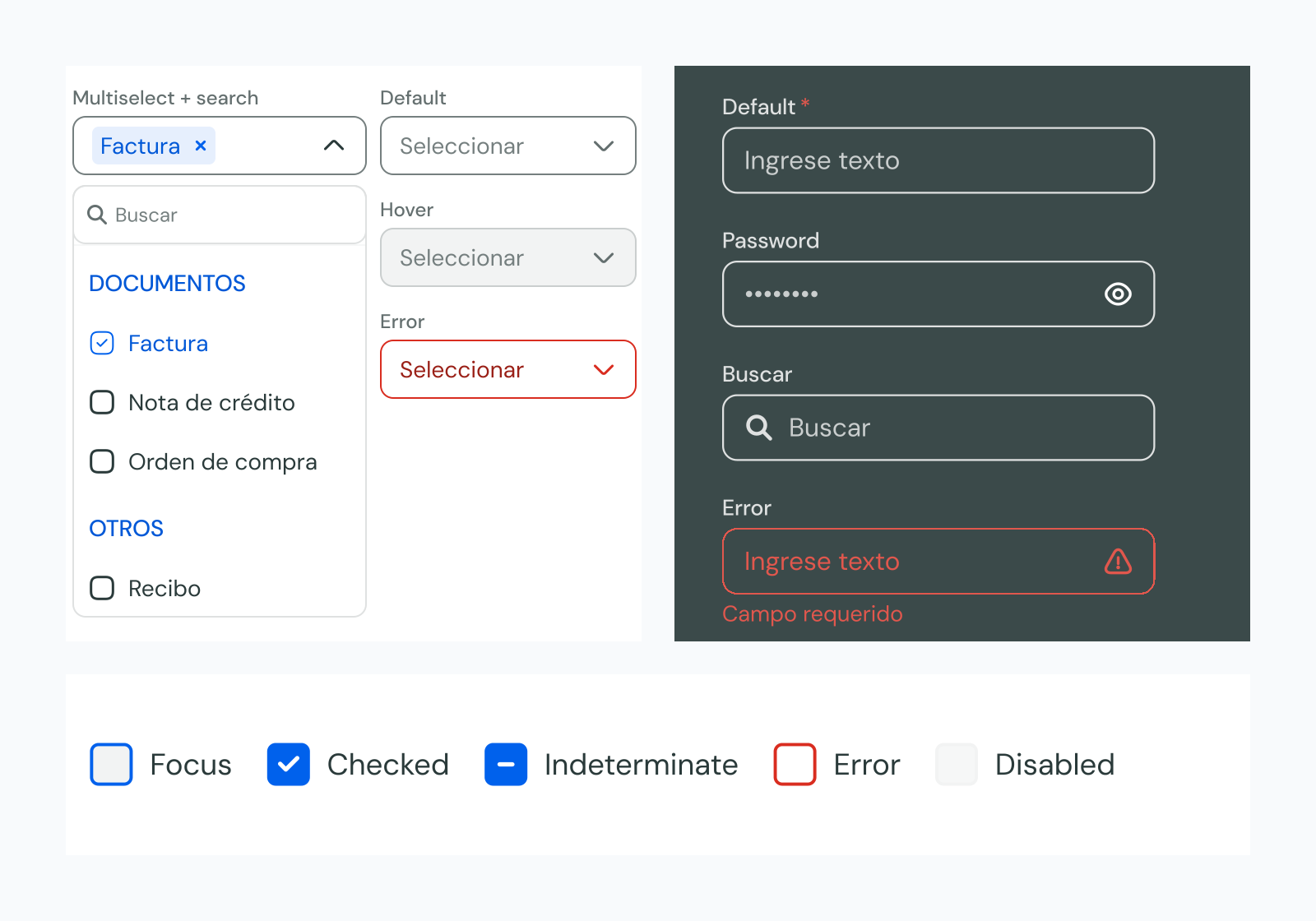
Growing the component library with the product.
Rather than defining every possible component before designing the product, I started with the patterns it needed most. As new flows introduced new requirements, I evaluated which solutions could be reused and added or updated components accordingly.
- Product need
- UI pattern
- Reusability check
- Create or update component
- Reuse
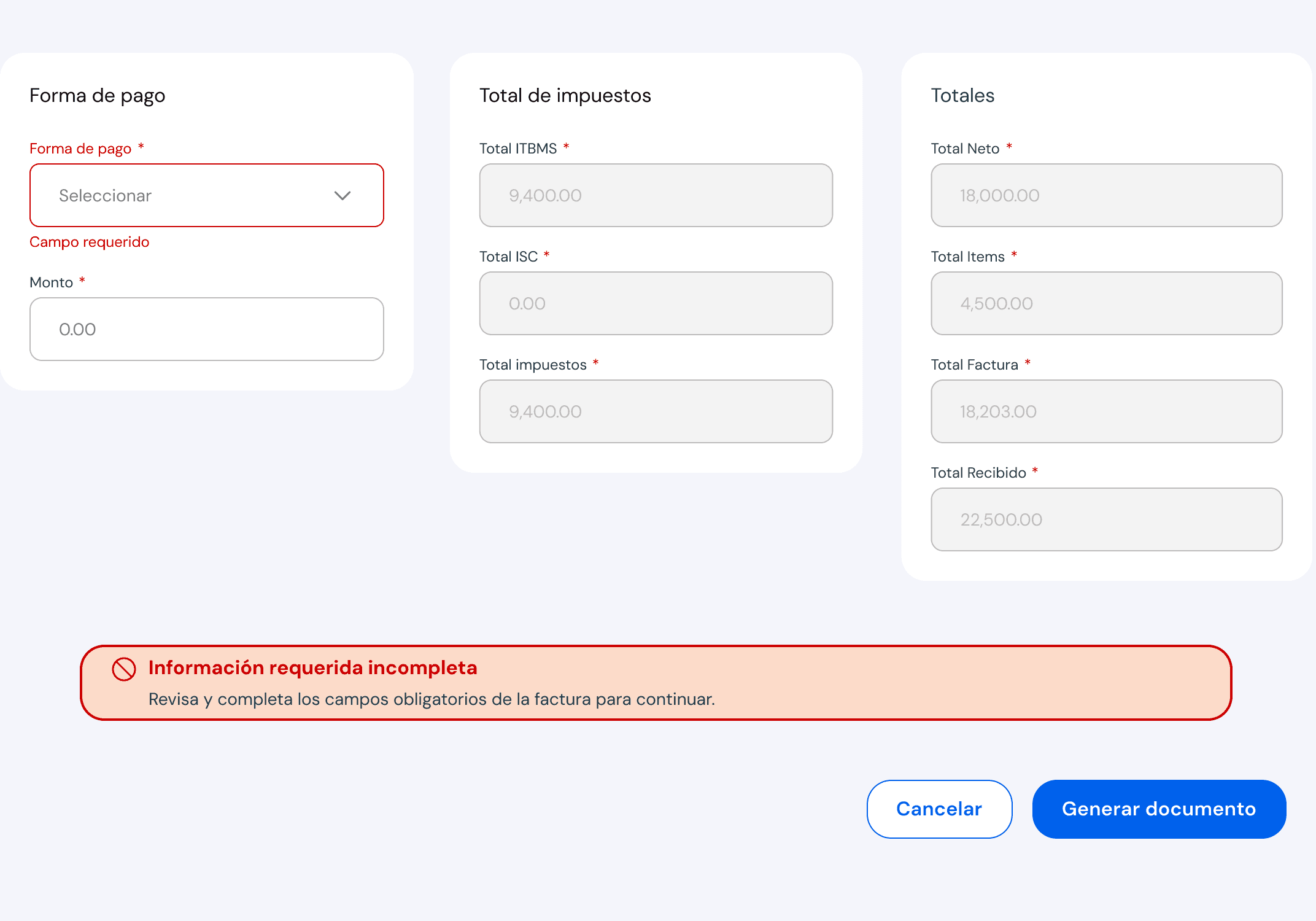
Designing for states, errors, and alternative scenarios.
Each flow considered more than the ideal path. I designed interfaces for errors, empty states, conditional behavior, and alternative scenarios. This was especially important when creating tax documents, where different inputs and business rules could change what users needed to see or do next.
Evolving with the product and the tools.
The first version of the system used the Figma capabilities available at the time. As the product evolved and Figma introduced variables, I migrated the color foundations into variables and created tokens that made the system easier to maintain. This also supported light and dark themes.
Static styles
Figma variables
Tokens + light/dark themes
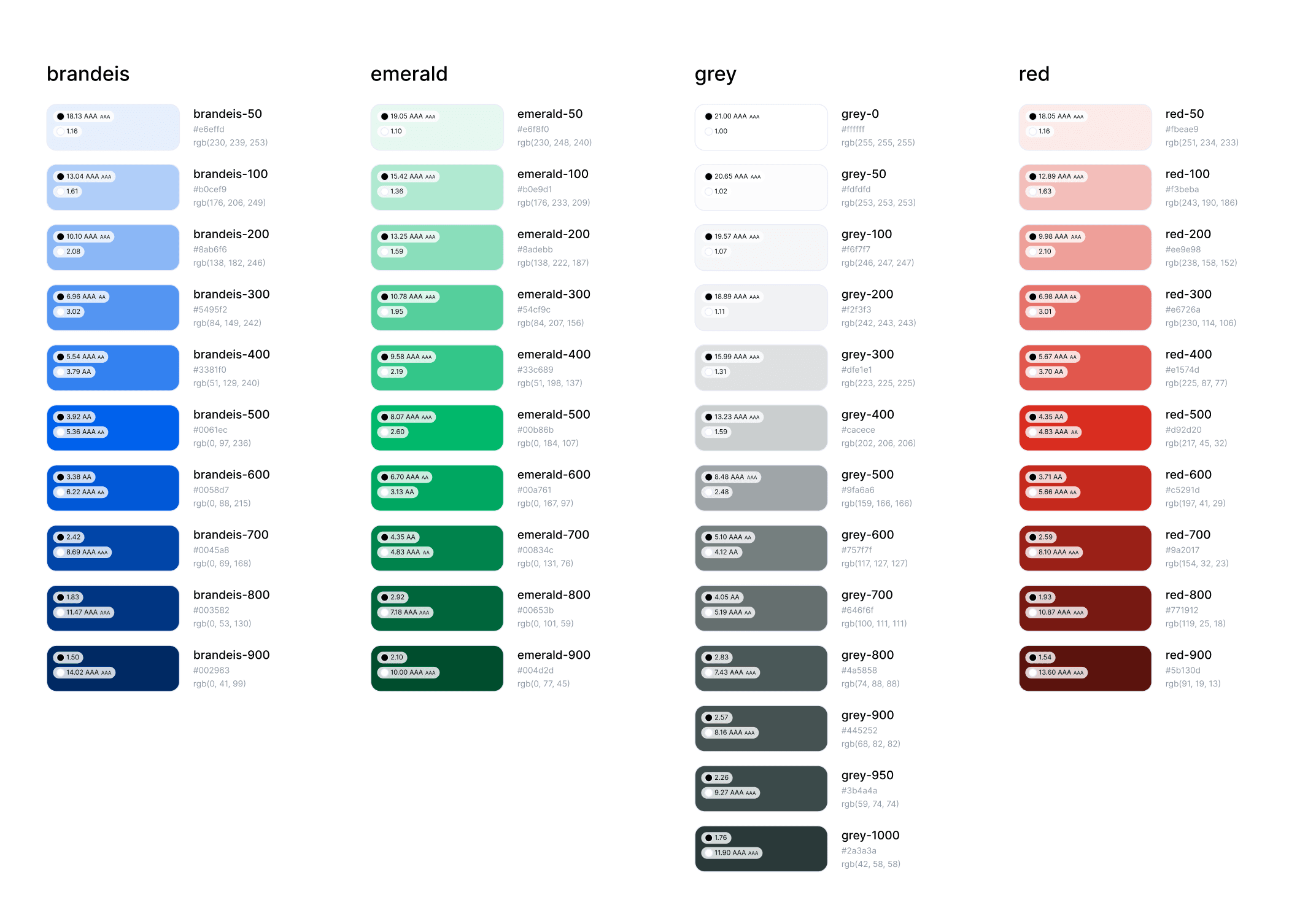
Improving the visual direction and accessibility.
As the product matured, I proposed an updated color palette that felt more contemporary and supported better color contrast. I used accessibility plugins to evaluate combinations, then updated the foundations, components, and product screens to reflect the new visual direction.
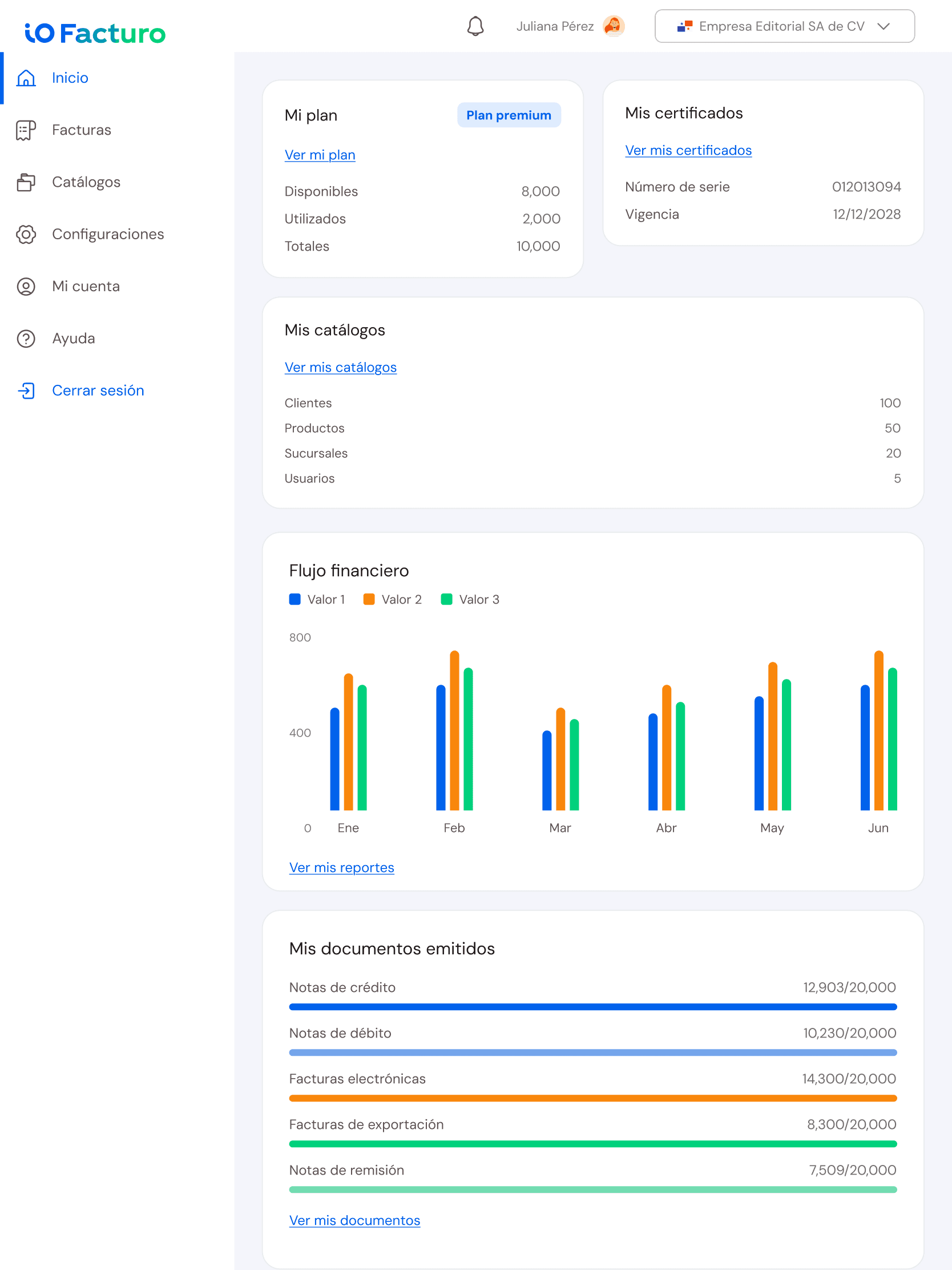
Designing beyond desktop.
The design foundations included layout grids and responsive considerations as the product expanded across screen sizes. I explored how layouts and components could adapt to desktop, tablet, and mobile, beyond the primary desktop experience.
Core experience
Making invoicing feel guided, not technical.
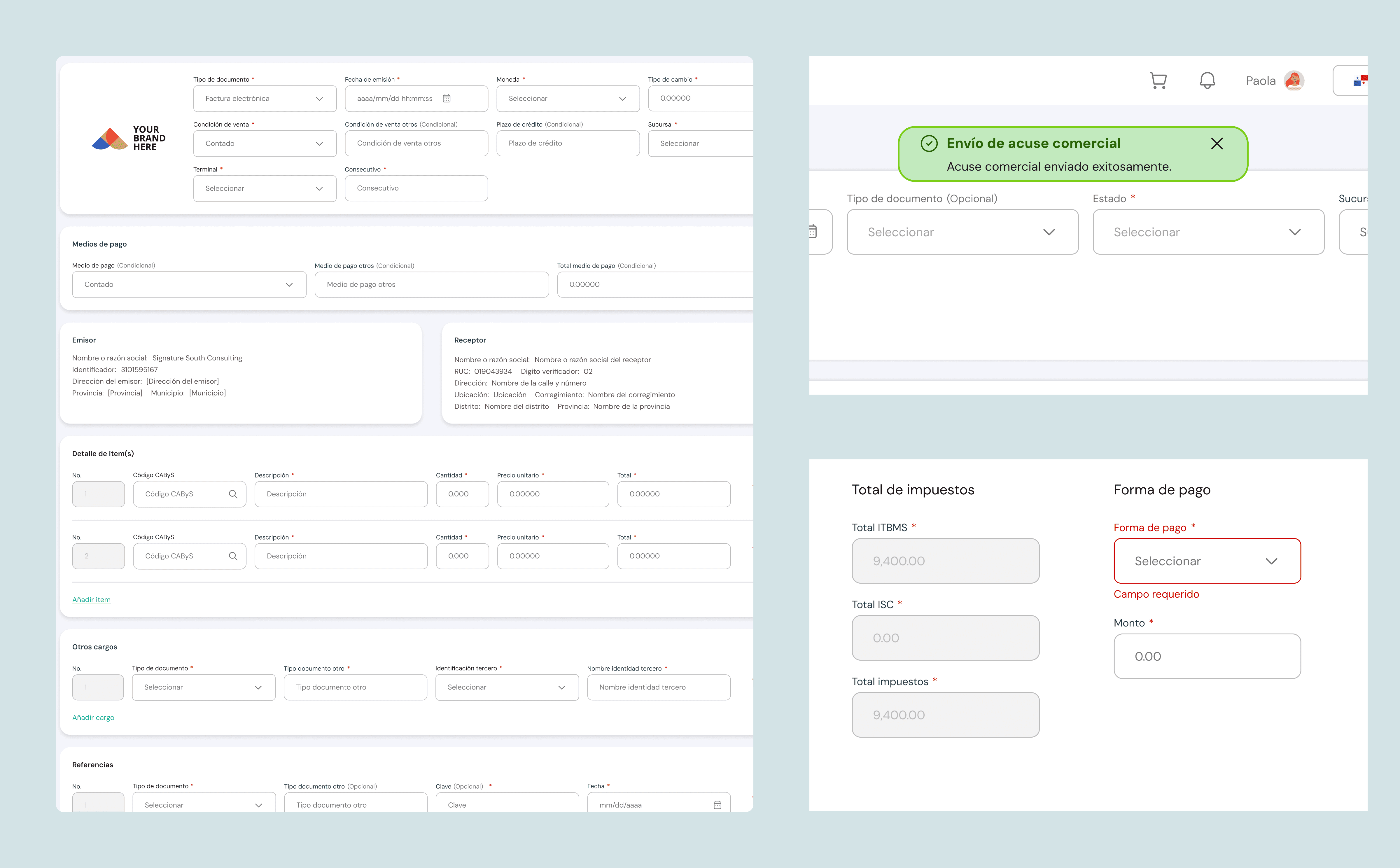
The redesign translated complex regulatory requirements into a clearer sequence of decisions. Rather than exposing every field at once, the experience guides users through the information needed to create and issue an invoice with greater confidence.
A clearer path from setup to issuance.
The flow organizes information progressively, clarifies required actions, and provides feedback at the moments where users are most likely to hesitate or make errors.
Show only the information required at each stage.
Explain errors close to the field and how to resolve them.
Confirm progress, processing, and successful issuance.
Rollout
Replacing the fragmented experience gradually.
The new product did not replace every existing country-specific experience at once.
The rollout began with markets that had fewer customers and with companies that did not operate across multiple countries, making the migration process easier to manage before expanding further.
Smaller markets
Additional markets and users
More complex migration scenarios
Outcome
From fragmented solutions to a stronger product foundation.
A more cohesive product experience
Country-specific functionality was brought together under a clearer product structure.
Shared patterns and reusable foundations
Components, design patterns, and foundations created more consistency across the product.
A system built to evolve
The design system grew with the product and later evolved to incorporate variables, tokens, and theming.
A gradual transition from existing solutions
The new product progressively replaced the fragmented country-specific experiences.
The project was not a one-time redesign. It established a product and design foundation that could continue evolving as new markets, requirements, and capabilities were introduced.
Reflection
What this project taught me about designing for scale.
Working on ioFacturo taught me that scalability does not come from making everything identical.
Designing for multiple markets required understanding what needed to remain consistent, where flexibility was necessary, and how to build foundations that could evolve as the product changed.
It also reinforced the importance of deciding where complexity belongs. Users should not have to manage every business rule, technical dependency, or regulatory requirement when the product can handle part of that complexity for them.
For me, the project became an exercise in turning complexity into structure, at the product, interface, and system levels.